|
Finding Basemap
Data for fGIS
To
begin a map in fGIS, you must load at least one basemap
layer (a geo-referenced aerial photo, scanned map or
any geo-referenced vector layer). All the layers in
a project must also be based on a uniform
projection
and datum.
So where does one get consistent basemap data to start
a project?
If
you are a Wisconsin forester, standardized data sets
are available from the DNR Private Forestry Specialist.
For
other North American users, the simplest approach to
getting aerial photos and vector data in a uniform projection
might be to start with TerraServer images and US Census
TIGER vector line data.
-
TerraServerUSA is an excellent source of aerial
photographs and USGS topographic maps. The freeware
programs
USAPhotoMaps and
MapShots® TerraFetch
can retrieve TerraServer images and save them as
georeferenced (UTM-NAD83) images to use in
fGIS.
-
US
Census TIGER line data provides political boundaries,
roads, streams, water bodies, etc., in addition
to demographic attributes. Census TIGER line data
is available from many sources, including
ESRI® or
MapShots®. If the source data is in Geographic
(lat/lon WGS84) format (which is generally the case),
it can be converted to the UTM-NAD83 coordinate
system with the fGIS Shapefile Projection Utility.
-
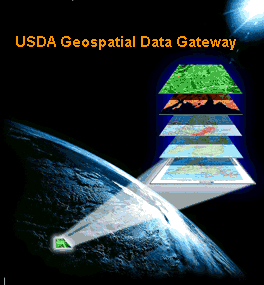
The
USDA Geospatial Data Gateway provides One Stop
Shopping for natural resources or environmental
data at anytime, from anywhere, to anyone. The Gateway
allows you to choose your area of interest, browse
and select data from our catalog, customize the
format, and have it downloaded or shipped on CD.
Most
state conservation departments offer spatial data free
or at minimal cost. You can use an Internet search engine
to look for GIS data for your area; e.g., use Google
to look for "Alabama GIS Data", "California
Spatial Data", etc. Search for "Free GIS data"
and you'll be astonished at the number of hits. There
are also many commercial vendors of spatial data (e.g.,
MapMart, GeoCommunity, etc.)
Public
Land Survey System (PLSS) data (section lines and corner
nodes) can be especially helpful to resource managers
who must identify property boundaries. Many state resource
agencies offer PLSS data. The US
Bureau of Land Management offers PLSS data for many
states. You might also want to search for PLSS data
for your area with Google.
See webGIS
for PLSS DLG shapefile data derived from USGS quadrangle
maps.
Use
3DEM for Shaded Relief Models
|
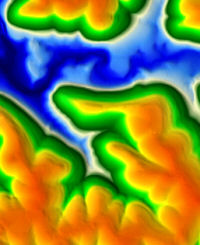
10M
24K Elevation Model in 3DEM
|
You
can produce 3D shaded relief elevation images
in the freeware program 3DEM, which is an
excellent companion to fGIS. 3DEM
saves shaded relief models as geo-referenced
raster files, which can be easily added
as an fGIS layer.
|
Note:
When making maps in fGIS, keep in
mind that vector layers used with
shaded relief models that come from
3DEM must be in the same coordinate
system in order to line up correctly.
3DEM can convert DEMs to the UTM
coordinate system. The Shapefile
Projection Utility in fGIS can convert
lat/lon and WTM shapefiles to UTM.
Therefore, between 3DEM and fGIS,
users should be able to create uniform
UTM data for mapping on 3DEM shaded
relief images.
|
|
|